In this tutorial you'll see how to simply override the default layout in site menu module and sort all links to separated arrays.
Опубликовано4 мин чтения
Overriding mod_menu in Joomla 3
In this tutorial you’ll see how to simply override the default layout in site menu module and sort all links to separated arrays.
1. Go to Extensions > Templates > Templates > Your Template Details and Files; 2. Follow to next tab “Create overrides”; 3. At “Modules” list choose “mod_menu”;
If everything’s fine, you’ll see “Message Override created in /templates/yourtemplate/html/mod_menu Successfully created the override.”
Otherwise you can get an error possible occurred with writing file. Check your template directory for read-write permissions, if they’re not, set recursively “chmod 777” to your templates directory.
4. In your code editor / IDE, navigate to your templates directory.
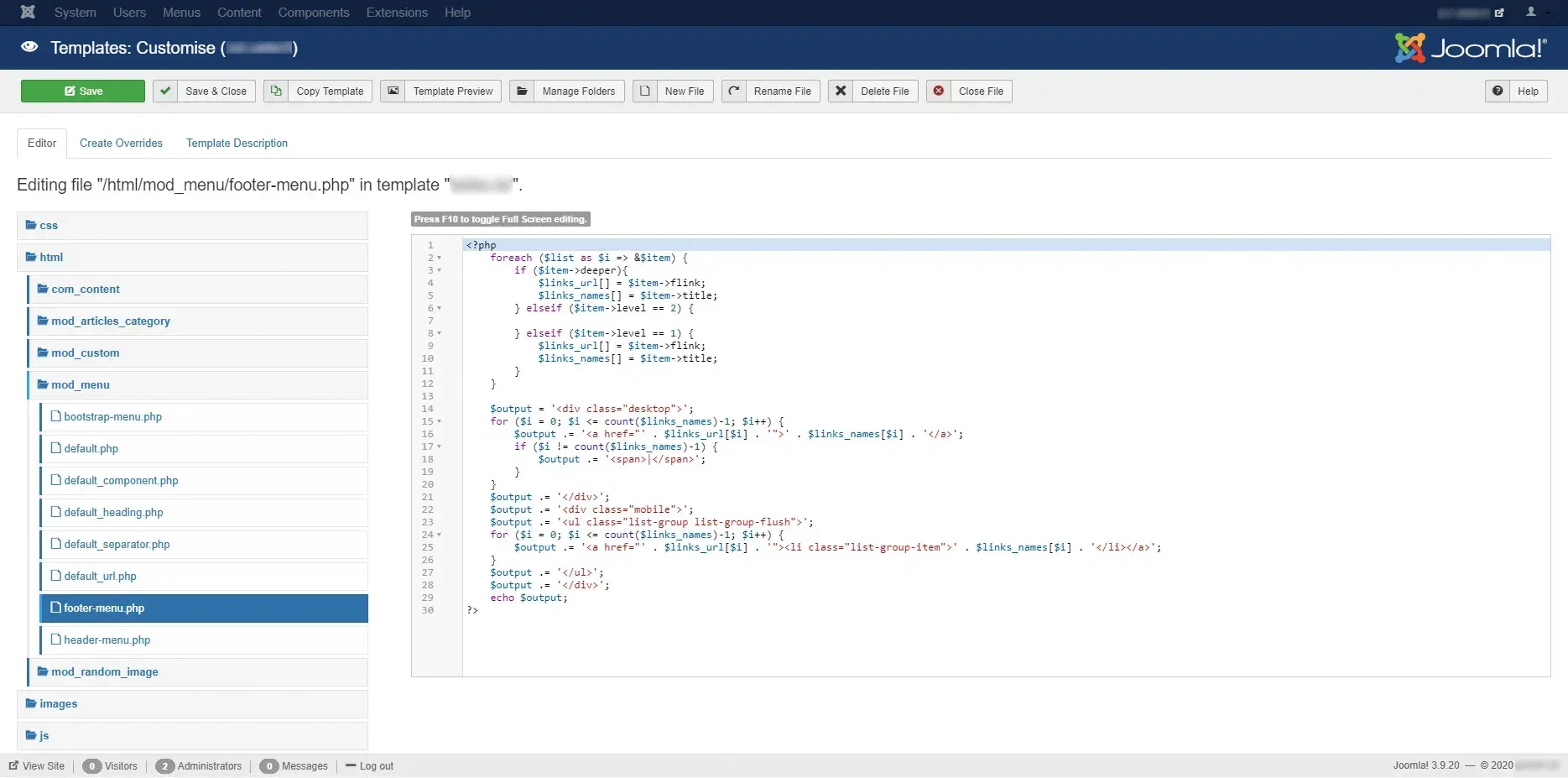
Of course, you can simply override all “default_*.php” layouts. In this case I’ve just created two layouts for header and footer menu.
So, let’s start coding!
<?phpforeach($listas$i=>&$item){// gathering urls
if($item->deeper){// dropdown title linkz
$parent_url[]=$item->flink;$parent_names[]=$item->title;$parent_route[]=$item->route;}elseif($item->level==2){// all dropdown dropdown
$sublink_url[]=$item->flink;$sublink_names[]=$item->title;$sublink_route[]=$item->route;}elseif($item->level==1){// other non-doropdown links
$links_url[]=$item->flink;$links_names[]=$item->title;$links_route[]=$item->route;}}// sorting the links of the dropdown lists by arrays
// named as the routes of main links
foreach($sublink_urlas$sub_url){// link position to match with name
$index=array_search($sub_url,$sublink_url);foreach($parent_routeas$parent_node){if(strpos($sub_url,$parent_node)!==false){$dropdown_menu[$parent_node]['url'][]=$sub_url;$dropdown_menu[$parent_node]['title'][]=$sublink_names[$index];}}}?>
<?phpforeach($listas$i=>&$item){if($item->deeper){$links_url[]=$item->flink;$links_names[]=$item->title;}elseif($item->level==2){// we don't need dropdowns here
}elseif($item->level==1){$links_url[]=$item->flink;$links_names[]=$item->title;}}$output='<div class="footer-menu">';$output.='<ul class="list-group list-group-flush">';for($i=0;$i<=count($links_names)-1;$i++){$output.='<a href="'.$links_url[$i].'"><li class="list-group-item">'.$links_names[$i].'</li></a>';}$output.='</ul>';$output.='</div>';echo$output;?>
5. If you already have complete the creating of menu items, you will need to create module for each menu layout.
For example: Footer menu, position - “footer-menu”, type “menu”; Show Sub-menu Items is off cause in this example our footer menu has not dropdown links.
6. Go to “Advanced” tab and set our custom layout in the “Layout” option list called “—From YourTemplate— / footer-menu”.